How it works: from first call to first order
Most of the work is getting your menu right. Here is every step, and who does what.
Tell us about your takeaway
Fill in the Get started form or call us. We'll ask how you take orders now, what you sell, and whether you deliver.
You, 5 minutesWe create your account
We set up your takeaway on Food Order Hub and send you your login. Your ordering page gets its web address straight away.
UsYour menu goes in
Add it yourself on the Menu screen with our guides: sections, dishes, prices, photos, sizes and extras. Or choose we do it for you: send us your menu as a link, PDF or photos, we build it, and you check it.
You, or usSet your hours, delivery areas and payments
Opening times, last orders, delivery postcodes with fees and minimums, and how customers can pay. Connect Stripe if you want card payments online.
You, with our helpMake it look like yours
Add your logo, banner photo and colour on the "Your page" screen, and check it on a phone with the live preview.
YouSet up the shop tablet, and a printer if you have one
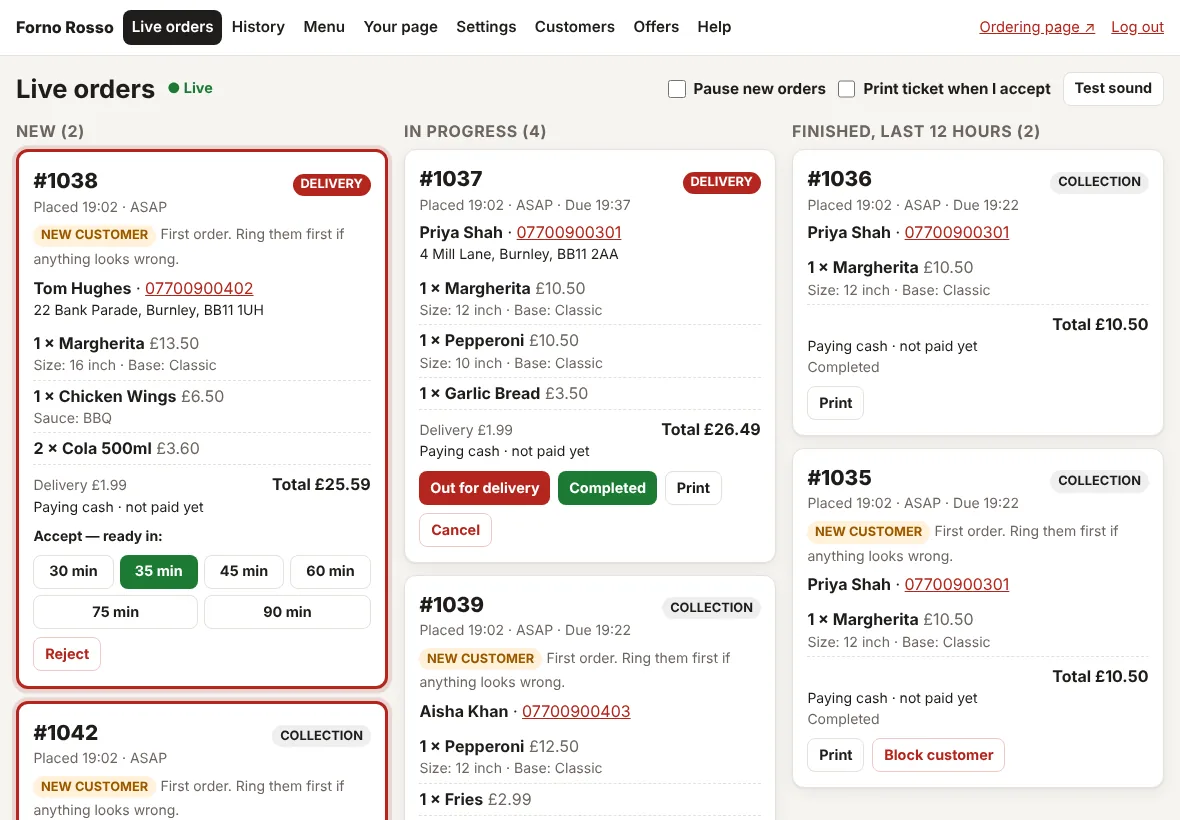
Open the Live orders screen on a tablet in the shop and tap Start taking orders. Connect a Star cloud printer in Settings if you want tickets printed.
You, with our helpPlace a test order
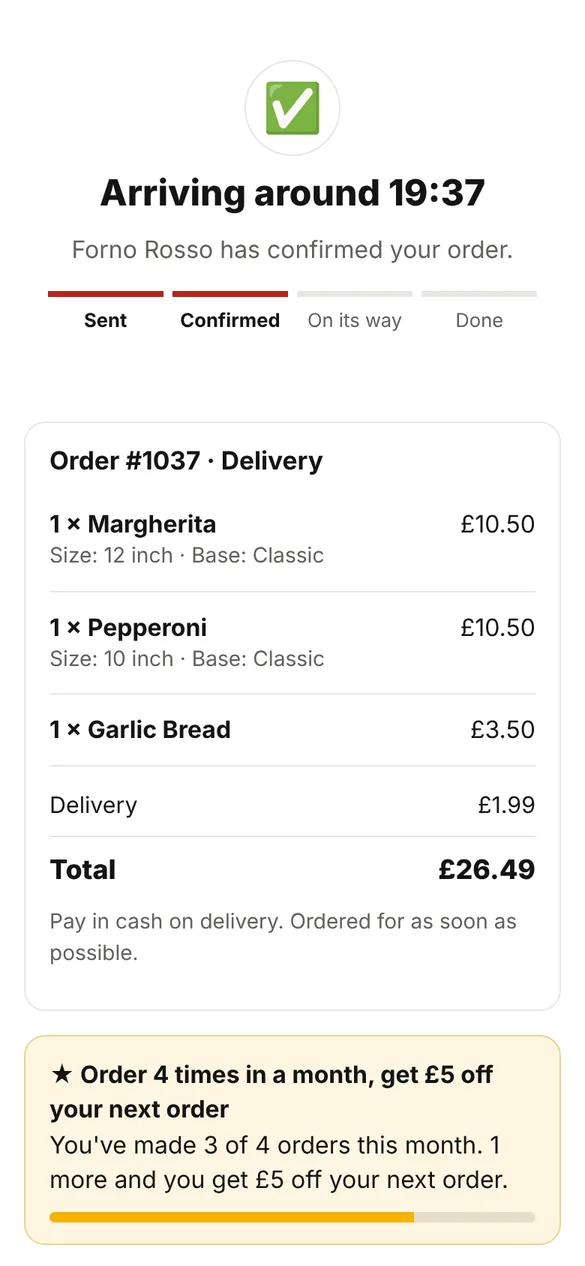
Order from your own phone. Watch it ring, accept it, check the ticket, and see what the customer sees.
YouShare your link
Add it to your Google Business Profile, Instagram, Facebook, leaflets and your website. Give customers a reason to order direct, like a first-order offer.
You
What you need
- A tablet or laptop with a web browser, for the shop
- Internet in the shop
- Your menu, with prices and any allergen information
- A Star cloud printer (optional)
- A Stripe account (optional, for card payments online)
You buy and own any equipment yourself. More about equipment
Then, every day
Keep the Live orders screen open during opening hours. That's it.
Keep the money from every order
Your own ordering page, a screen that rings, and tickets that print themselves, from £29 a month. No commission on any order.