Orders that ring until someone answers
Keep the Live orders screen open on a tablet in the shop. New orders ring until you accept them, tickets can print in the kitchen by themselves, and your customer sees every update on their phone.
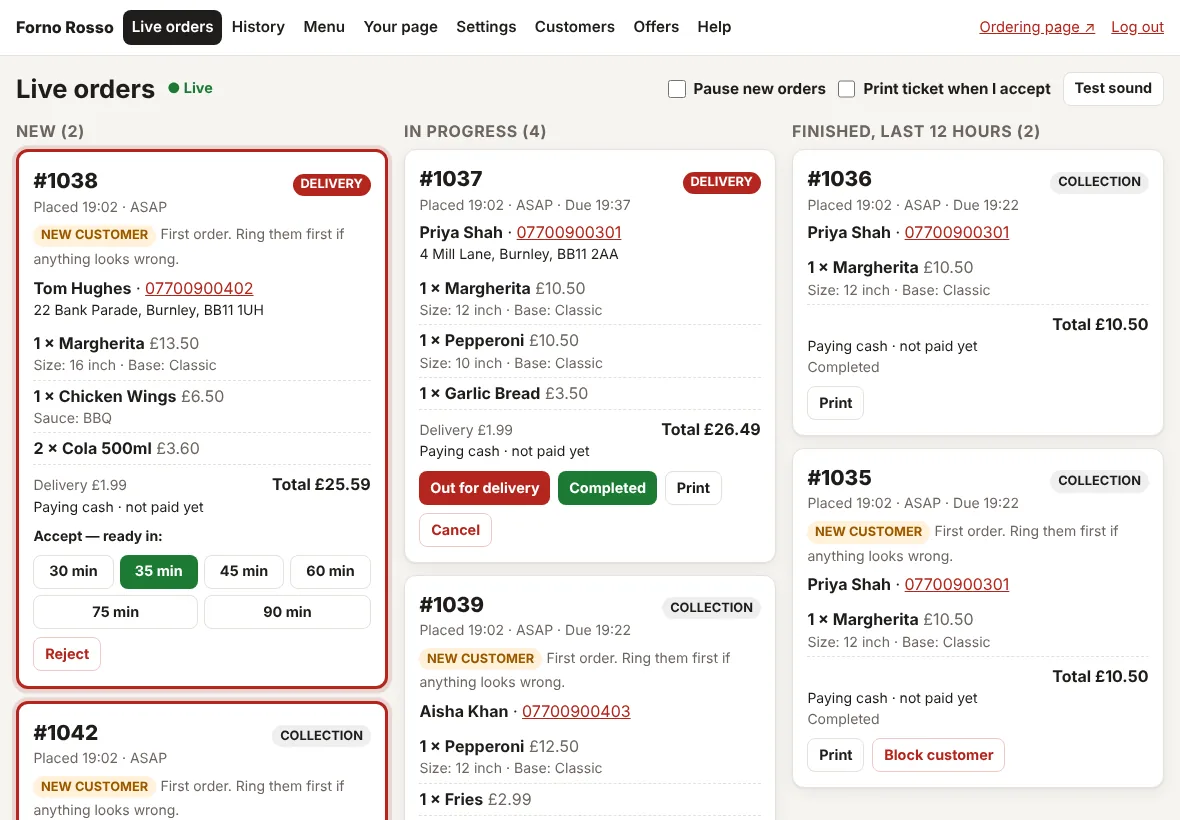
Accept in one tap
Everything on the order screen is big enough to use with busy hands.
- New orders ring and flash until someone accepts or rejects them
- Accept by tapping how long it will take, such as 30 minutes. The customer sees the time straight away
- Reject with a reason the customer will see. Card payments are refunded automatically
- Move orders on: Ready to collect, Out for delivery, Completed
- Orders for later show "For 19:30", and orders for another day are kept in their own group
- Pause new orders when the kitchen is full. Customers can still see your menu and phone number
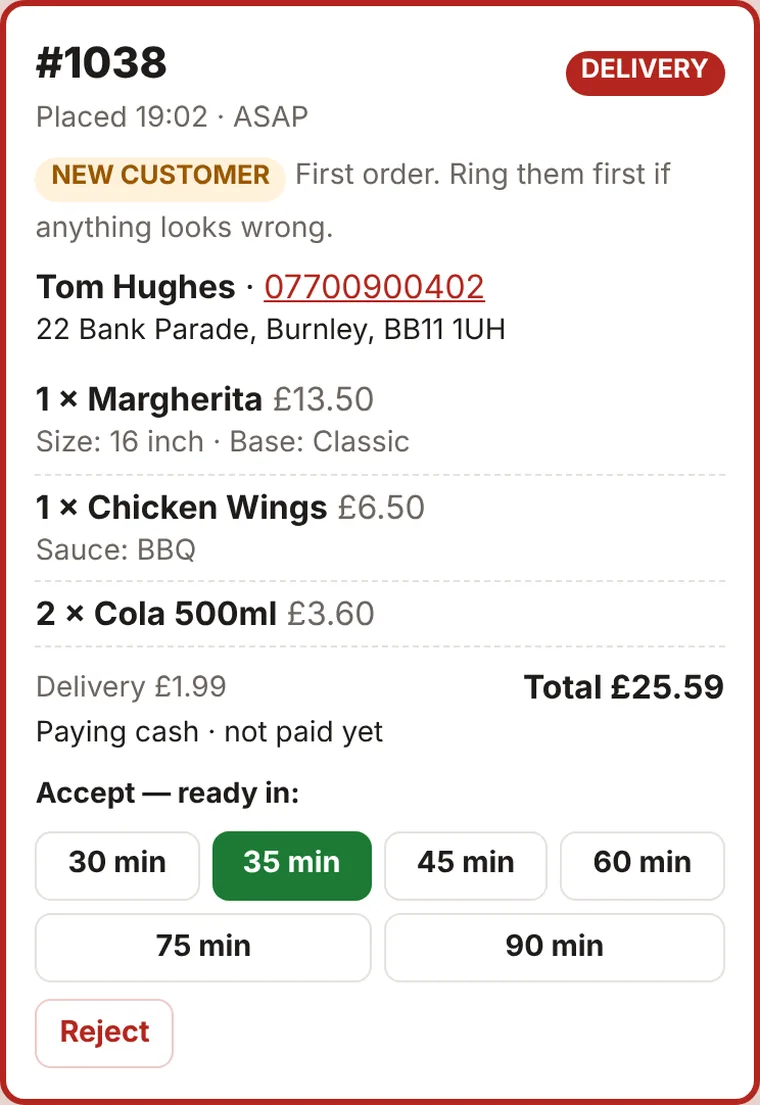
Your customer always knows where their order is
After ordering, the customer gets their own order page that updates by itself.
- Waiting, then accepted with a time, ready to collect or on its way, then completed
- If nobody accepts an order within 10 minutes, the page asks them to phone you
- Their order details, what they paid and how they are paying, all on one page
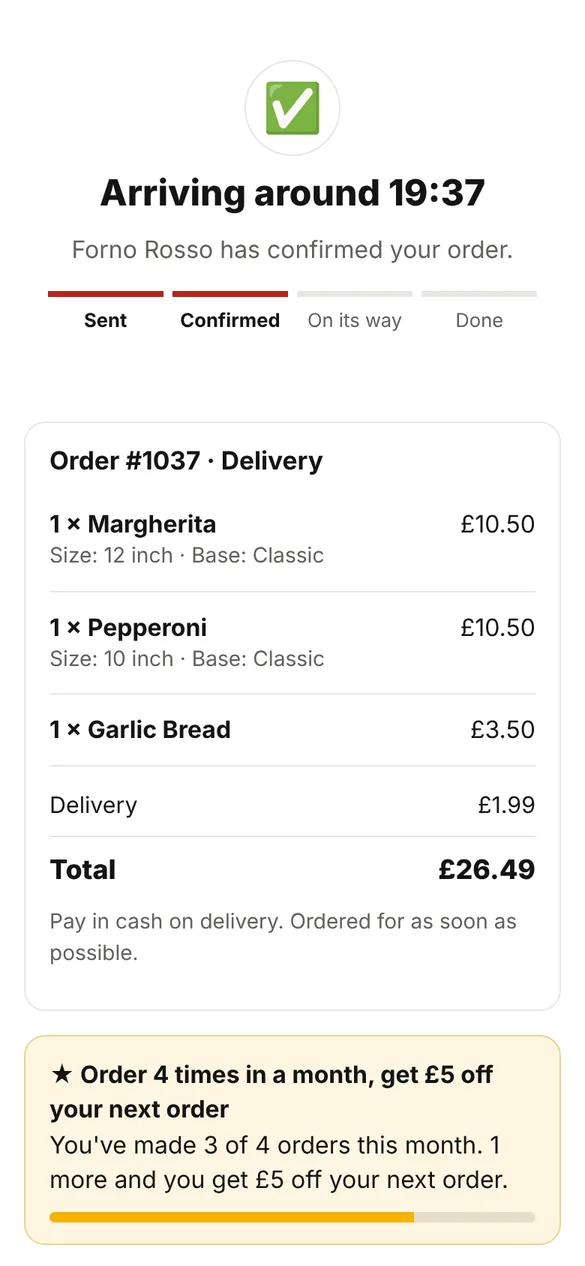
Tickets that print themselves
Add a Star cloud printer and tickets print in the kitchen with nothing else to run. A printer is optional.
Included with Growth and Pro
- Works with Star CloudPRNT printers, such as the Star mC-Print3 or TSP143IV
- Choose how many copies, and whether tickets print when an order arrives or when you accept it
- Tickets show the time, the customer, every choice and note, and whether it is paid
- Orders for another day print on the day, shortly before they are due
- Reprint any order, and see on screen if the printer is offline
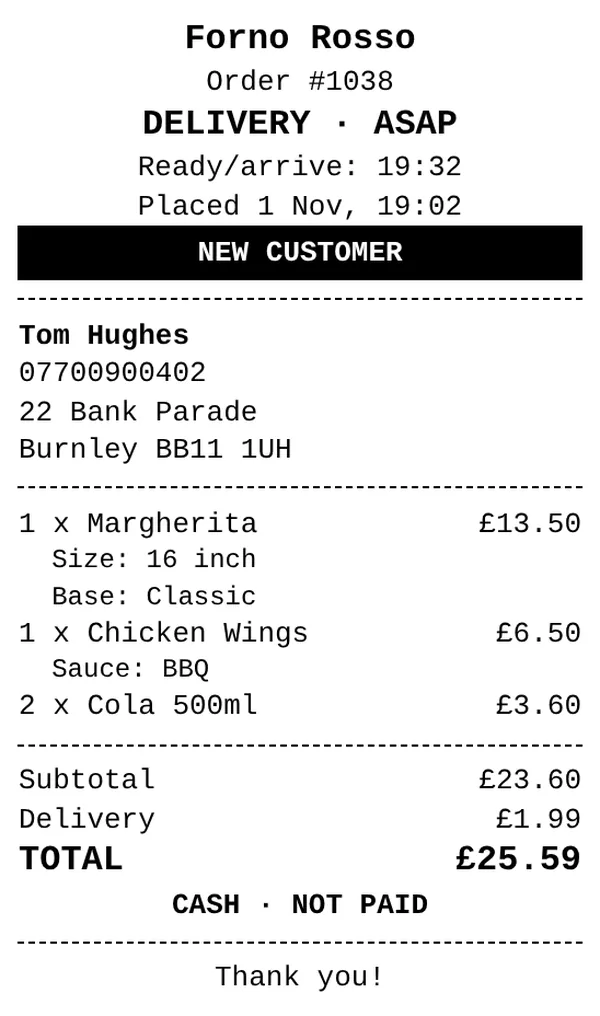
Protection from hoax orders
Pay-later orders can be abused. You decide how careful to be.
- Block a phone number that has placed hoax orders
- Ask new customers to phone you for first orders over an amount you choose
- Each phone number can only have two orders waiting to be confirmed
- Card payments online stop hoax orders completely
Questions
What do I need in the shop?
A tablet or laptop with an up-to-date web browser and an internet connection. A kitchen printer is optional.
What if our internet goes down?
Orders still arrive and wait for you. The screen reconnects by itself and shows them. The printer prints waiting tickets when it is back, but skips anything over 90 minutes old.
Can more than one person use it?
Yes. Staff share the takeaway's login on the shop tablet, and the owner can log in from anywhere.
More features
Ordering website
Your own branded page, on any phone. No app, no marketplace.
Menu management
Dishes, prices, photos, choices and sold out.
Delivery and collection
Postcode areas, fees, minimums, hours and order-ahead.
Offers and loyalty
Automatic offers, leaflet codes and rewards for regulars.
Payments
Cash, card at the door and card online through Stripe.
Reports and customers
Monthly sales, best sellers and what you saved.
Keep the money from every order
Your own ordering page, a screen that rings, and tickets that print themselves, from £29 a month. No commission on any order.