We set it up with you
Send us your menu and we build your ordering website with you: menu, photos, opening hours, delivery areas and payments. You check it, test an order on your own tablet, and go live when you're happy. Or let us do all of it for you.
Moving from an app or another ordering system? We run alongside it until you're ready to switch.
How we set you up
Four stages, done together. Nothing goes live until you've checked it, tested it and said yes.
-
Us, or you
Your menu comes across
- Send us your menu: a link to your current ordering page or app listing, a PDF or photos of your printed menu. Our team reads it into a draft menu for you.
- Or do it yourself: import a spreadsheet, paste your menu in as text, or start from a ready-made menu and change it.
- Nothing is copied across automatically. Every dish is read in, then checked.
-
Us, or you, with our help
Your new page is set up
- Opening hours, last orders and holiday closures.
- Delivery areas by postcode, each with its own fee and minimum order.
- Your logo, colours and photos, and how customers can pay.
-
You
You check it and test it
- Check every dish, price, choice and allergen. Dishes read from a photo are marked for checking, and a price that couldn't be read is left empty for you to fill in.
- Place a test order: watch it ring on your tablet, accept it, and check the ticket.
- Approve your menu, prices, delivery charges and hours. Change something later and you approve it again.
-
You, with our help
You switch over
- Keep taking orders the way you do now until your new page is ready.
- Swap the link on Google, Facebook, Instagram, your website and new leaflets.
- Switch your old system off when you're happy.
Your menu
Read in, then checked by you
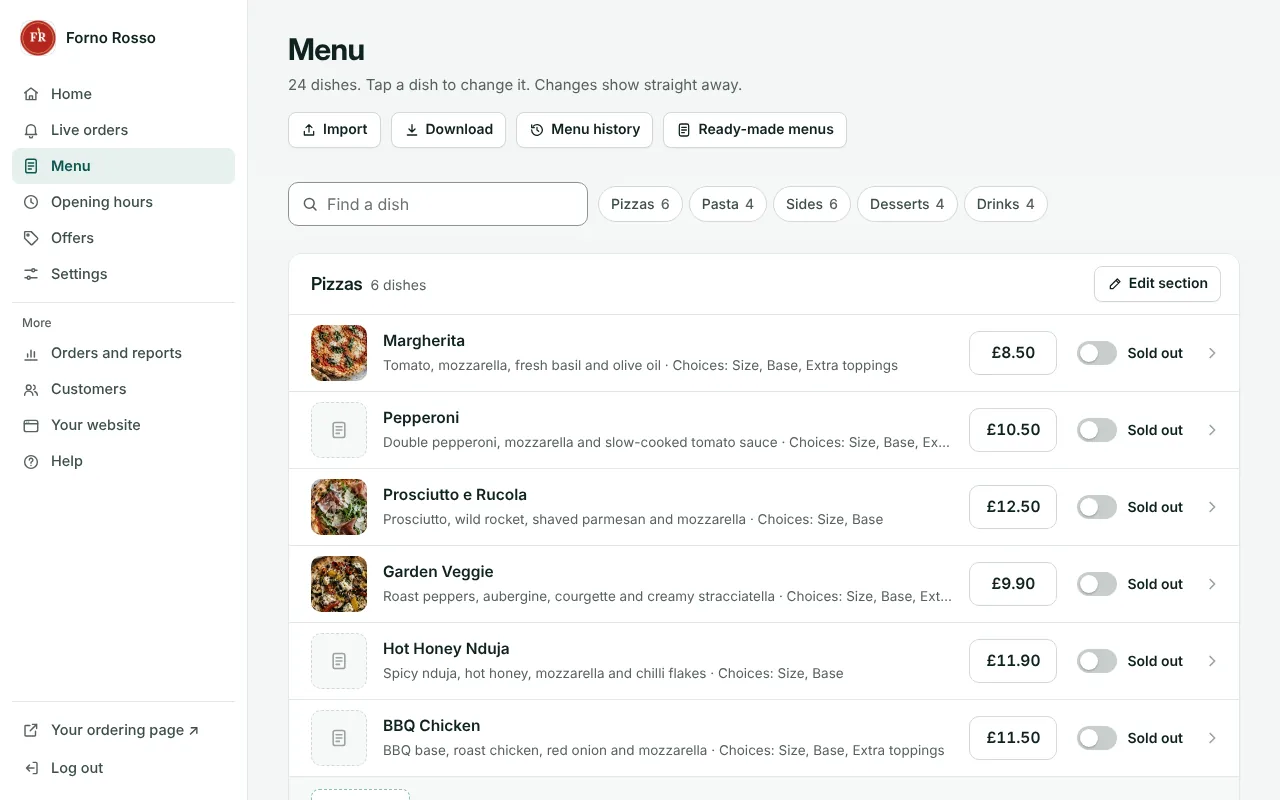
However your menu comes in, it lands on a check screen first. You see exactly what will change before anything is saved.
- What's read in: sections, dishes, descriptions, prices, sizes, extras and choices, and allergen notes where your menu prints them.
- What's never guessed: a price that can't be read stays empty until someone types it, and allergens are only ever what you write.
- Nothing lost: your menu as it was is kept as a version you can put back.
What changes when you move to your own website
A few things are different on a new system. Here they are, so there are no surprises on the day.
Your customers
Your new page has a new web address, so customers need your new link. Nobody needs an app or an account to order, and your customer list builds up as they do. A first-order code on your leaflets can help regulars move across (offers come with Growth and Pro).
Your tablet and printer
The order screen runs in the web browser on most tablets and laptops. Automatic kitchen printing works with Star printers that support CloudPRNT. Check with us before you buy a printer.
Payments
Cash and card at the door work straight away. For card payments online (Growth and Pro), you fill in Stripe's own sign-up from Settings, and the money goes into your own Stripe account.
What you get
Everything you need to keep taking orders online, for a fixed monthly price and no commission.
Some of these depend on your plan. Compare plans
- Your own ordering page with your logo and colours, on your own web address if you want one
- A Live orders screen that rings until someone accepts
- Kitchen tickets on a Star cloud printer, if you have one
- Delivery areas by postcode, ordering ahead and holiday closures
- Offers, leaflet codes and a loyalty scheme
- Card payments into your own Stripe account, plus cash and card at the door
- Table bookings, if you have tables
Questions about getting set up
Can you copy everything across automatically?
No. There is no automatic transfer from other systems. Your menu is read in from what you send us (a link, a PDF, photos or a spreadsheet) and checked by you before it's saved, which also means it's set up properly for the new system.
What does moving cost?
Your monthly plan, from £29 a month. Setting up is free if you move your menu yourself, or £99 to £199 one-off if we do it for you, depending on the size of your menu. We agree the price with you before we start.
Will we miss orders while we switch?
You can keep your current system running while your new page is set up and tested, then swap your links when you're ready. Some customers may use an old link or bookmark for a while, so update everywhere your link appears.
What about my customer list?
Export it from your current system, if it lets you, and keep it safe. On your new page your customer list builds up again as people order, and you can download it any time.
Can I keep my tablet and printer?
Usually your tablet, yes: the order screen runs in the web browser. Automatic kitchen printing works with Star printers that support CloudPRNT, such as the Star mC-Print3, so a printer you use now may not work. Check with us before you buy one.
Let's get you online
Tell us about your takeaway and we'll call you back: send us your menu and we can start there.